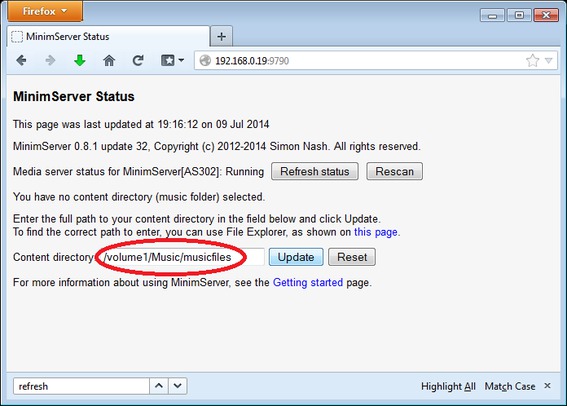
Content directory location for ASUSTOR
To find the correct path to enter in the Content directory field, follow these steps:
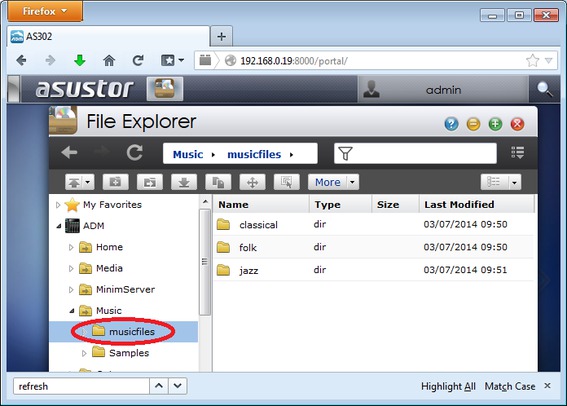
1) Open File Explorer and select the folder that you want MinimServer to scan for your music files:
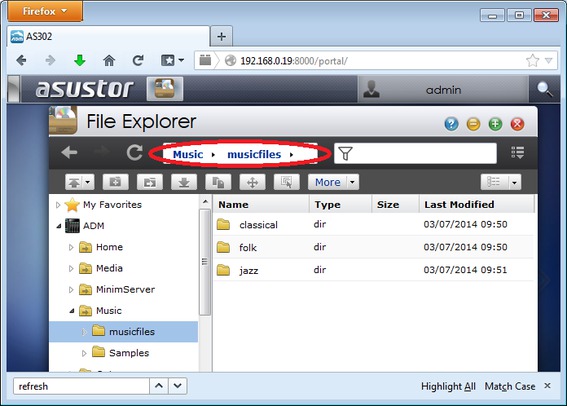
2) Find the folder path in the address bar. In this example, the folder path is Music ▸ musicfiles ▸
3) In the Content directory field, type /volume1 followed by the names from the folder path separated by slash (/) characters, then click Update. Make sure the v of volume1 is in lower case and make sure the folder names are in the same case as they appear in the address bar. In this example, the Content directory path is /volume1/Music/musicfiles